The scanning platform
Centralvisor
External scans. Internal visibility. Findings your team can act on. Bring your assets, recurring scans, and client security projects into one company workspace.
Inside Centralvisor
From scan results to clear priorities
Your security picture, in one place
Track targets, enabled schedules, scan activity, and open findings by severity. Compare scan volumes and security scores over time.
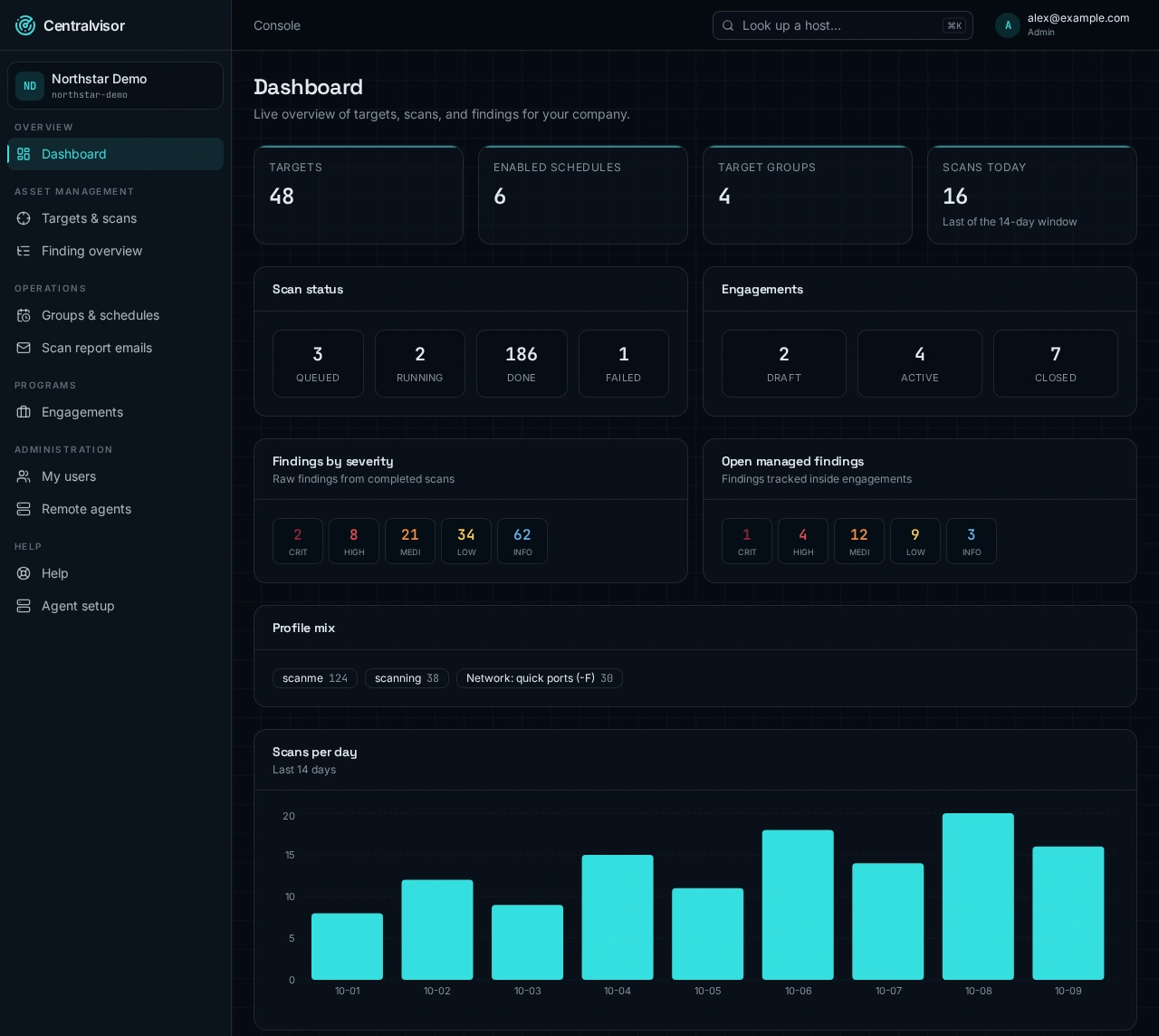
Actual Centralvisor screens. Fictional company, hosts, and results shown for illustration.
Platform scanning
Scan authorized internet-facing hosts from the central scanner, without installing an agent on every target. Run a scan when needed or use a recurring schedule.
- External vulnerability and configuration scanning
- Host lookup, target tags, and scope tracking
- Live queue and completed scan history
- Severity-ranked results for each completed scan
Agent for internal networks
Deploy a remote agent on a Linux host inside your network to reach internal systems. Company administrators can create agents and use them for eligible scans.
- One-time enrollment token and installation command
- Internal scans from a remote network location
- Agent selection for supported scan profiles
- Internal and external results in the same workspace
The complete workflow
More than a scan result
Targets and scan history
Add hosts individually or in bulk, tag assets, define scope, and review running, queued, and completed scans. Look up a host to follow its scanning history.
Groups and recurring schedules
Group related targets and schedule weekly, every-other-week, or monthly scans. Choose your timezone, scan profile, and an eligible remote agent.
Managed findings and remediation
Bring scan findings into an engagement, review and edit them, and track open, triaged, accepted-risk, fixed, false-positive, and closed statuses.
Reports ready to share
Generate engagement reports in HTML, PDF, or Word. Export a cross-host findings report or Excel summary to support reviews, audits, and customer discussions.
Scan report emails
Manage the recipients notified when scans finish. Enable or disable individual recipients without deleting their details.
Company roles and collaboration
Company administrators manage users and remote agents. Operators run scans; viewers have read-only access. Invite an external contact to respond to an individual finding without signing in.
See it with your team
Explore the company workspace, your scanning options, and how findings become a report you can share.